Define Item Quantity Groups
This chapter describes how to define one or more item quantity groups. The item quantity groups are used in Beyond Price Changes to define a markup based on certain quantities of an item.
Important
Item Quantities and Partial Quantities
You can later use the item quantity groups in the markup matrix to define whether a specific markup should be used for a combination of item quantity and/or item price. When creating the item quantity groups, please note that you may also take partial item quantities into account (e.g. 0.5 L oil or other containers).
Important
Creating Item Quantity Groups
When creating multiple item quantity groups, please note that the range is always defined between two groups. You can find more information on this in the screenshots under the Description column. There is a start and an end for the corresponding item quantity range, which you define via the data records.
To define one or more item quantity groups, proceed as follows:
- Open the search function from the role center (ALT+Q).
- Search for Item Quantity Groups and click on the corresponding search result.
- The Item Quantity Groups list is displayed.

- To create a new item quantity group, click on the New option in the menu bar.
- Enter a code for the item quantity group under the Code column.
- Enter the item quantity in the Quantity column. Start by entering the largest item quantity and define the range down to the smallest item quantity you are trading. Further information and an example can be found at the end of this section or in the screenshot below.
- Enter a description for the item quantity group in the Description column.
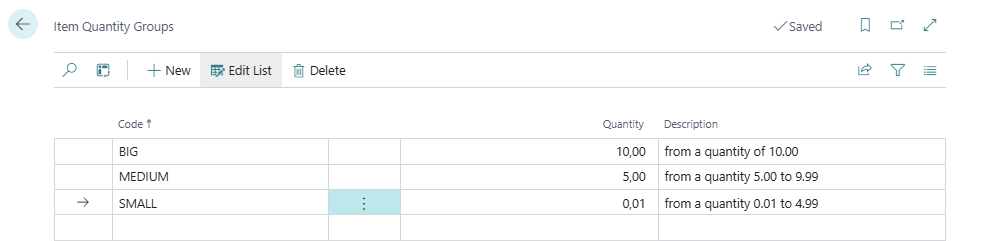
In our example, we have created the following item price groups:
| Code | Quantity | Description |
|---|---|---|
| BIG | 10.00 | from a quantity of 10.00 |
| MEDIUM | 5.00 | from a quantity of 5.00 to 9.99 |
| SMALL | 0.01 | from a quantity of 0.01 to 4.99 |
You have defined one or more item quantity groups.