Activate Reports
This chapter describes how to change the reports from the standard reports to Beyond Document DesignerService.
To replace the standard reports in Business Central with the customizable reports from Beyond Document DesignerService, proceed as follows:
- Open the search function from the role center (ALT+Q).
- Search for Report Setups and click on the corresponding search result.
- The Report Setups page is displayed.
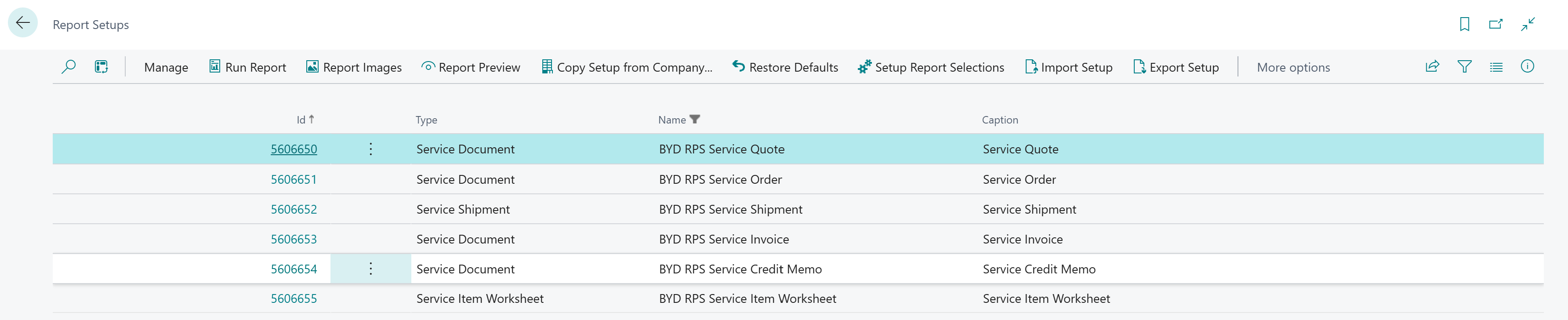
- Click on the Setup Report Selections option in the menu bar.
- A dialog box is displayed.
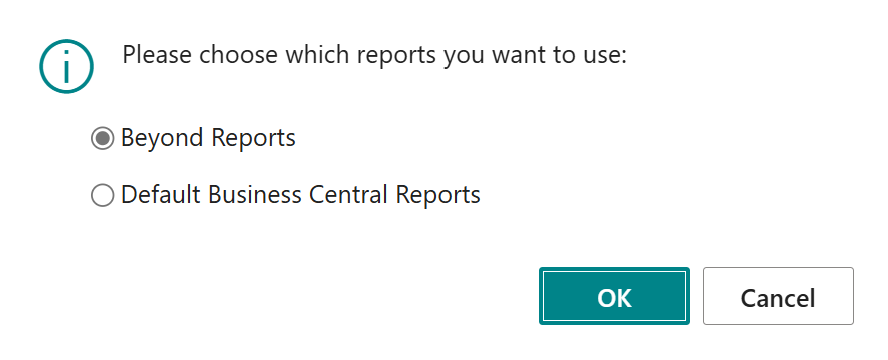
- Activate the Beyond Reports option in the dialog window.
- Confirm the selection. Click on the OK button.
You have activated the report templates of Beyond Document DesignerService and use them in your Business Central.