Assign Default Bin for Item
This chapter describes how to define a default warehouse location and bin for an item. The combination of warehouse location and bin will then be suggested in the cart dialog box if you have activated the User Input option for the Default Cart Behavior field on the Beyond Carts Setup page. You can also set the shopping cart behavior on the corresponding shopping cart card.
To define a default bin for an item, proceed as follows:
- Open the search function from the role center (ALT+Q).
- Search for Items and click on the corresponding search result.
- The Items list is displayed.
- Open the item card for the item for which you want to define a default bin.
- Select Related > Warehouse > Bin Contents from the menu. Alternatively, you can enter the term Bin Contents directly in the search field (ALT+Q) and confirm.
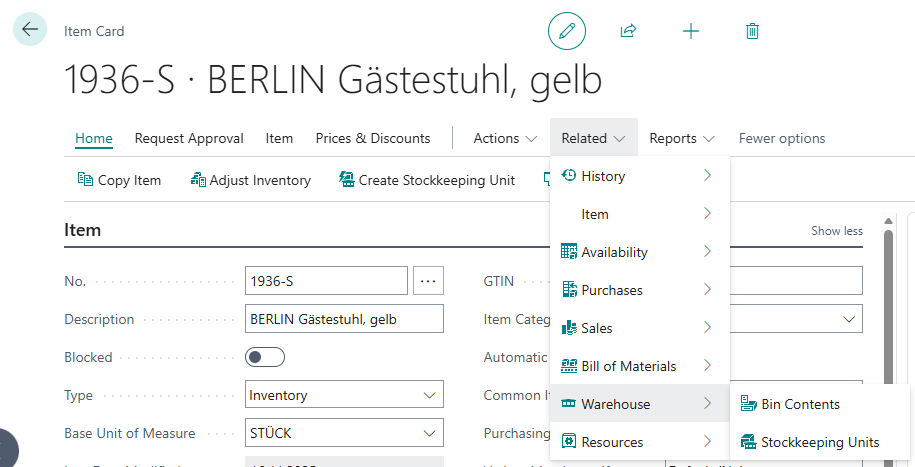
- The Bin Content page is displayed.

- Select the location and bin from the lines and activate the Fixed and Default checkboxes.
You have selected the combination of location and bin as the default setting. The fields in the cart dialog are pre-filled with this combination when the item is added to the cart. You can change the desired location and bin in the dialog.
For more information on how to set up the cart so that a dialog box appears for entering information (such as location and bin), see the chapter Create Cart.