Save Attributes for Fixed Assets
This chapter describes how to store additional information for the fixed assets via an attribute.
To store a value for an attribute on the fixed asset, do the following:
- Open the search function from the role center (ALT+Q).
- Search for Fixed Assets and click on the corresponding search result.
- The Fixed Assets list is displayed. In this list you will find all fixed assets.
- Display the factbox (ALT+F2). The factbox area will show you the attributes for the fixed asset.
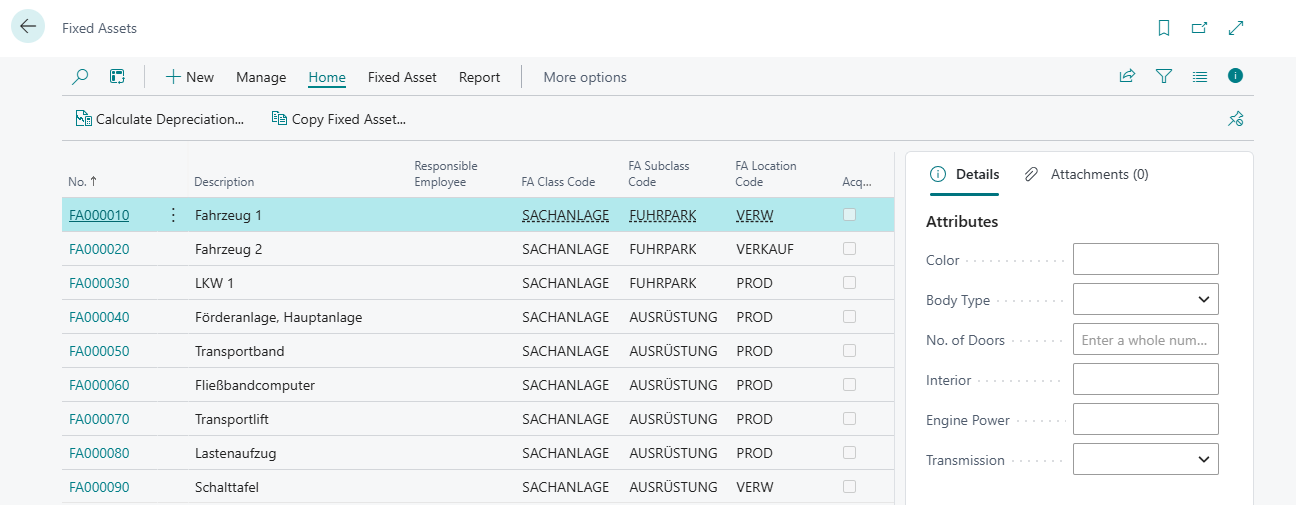
- Enter a value in the attribute input field.
You have entered a value for an attribute for a fixed asset.